I didn't get to do any new stuff in the workshop, let alone record it.
But I did get me some new lenses in the last weeks.
(Not much else to spend budget on while waiting for the Panasonic GH3 to be announces in autum.)
The Panasonic 14-42mm X-lens. Only a fraction of the size of the 14-42mm kit lens, yet optically even a bit better.
It's a pancake. Meaning it's so small, that the GH2 or GH1 camera with this lens mounted fits inside a coat pocket and I can have it with me all the time. It's so small, there is no zoom-ring and no focus ring. It has 2 levers and does a motorized power zoom.
Formerly having the camera in my pocket was only possible with the (very bad) 3D pancake lens or...
the 14mm f2.5 wide angle pancake.
Finally a lens that is wide enough, so I can make unstabilized shots handheld and film in close quarters. It is also much faster then simply using the 14-42 at 14mm and thus a good wide angle companion to my beloved PanLeica 25mm f1.4 and the Voightländer 25mm f0.95.
(Yes, I regularly do shots in light conditions that required lenses this fast. Contrary to photography you can't use a flash for filming and the situation doesn't allow setting up off-camera lights.)
And finaly the third one...the 45-175mm X tele.
Concentrating on normal and wide angle ranges there are situations where I can't go on without a tele. I thought about this a long time since I don't need a tele very often but when I do, there's no alternative. Manual, old FD-lenses are too slow to use and too bulky and I can't get any closer.
Formerly I used a fair sized collection of old Canon-FD mount lenses. ...very old ones.
Very bulky, unstabilized, manual focus, hard to use. (The FD-bajonett is a nightmare. I once lost one of only 2 camera angles I had recording a 3 hour show that is only performed once due to an FD lens not sitting tight because I had to mount it in the dark in just a few seconds.)
I just compared the new 45-175 with my longest lenses. A Tokina and a Tamron.
These go up to 210 and 300mm and to compare them I zoomed all 3 to 175mm, used the new lens wide open and the old ones stopped down to minium to give the old glass an edge and the new one a disadvantage.
....Looking through the 1:1 crop magnification I couldn't believe how much detail, contrast and saturation where possible with modern glass. How could I ever have thought of the old lenses image are "fairly good, if uncomfortable to handle".
Two other things I got pretty much transform the way I record too:
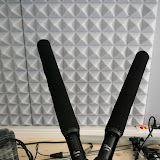
A boom-pole with a large blimp for my 50mm long T.Bone EM9900 shotgun microphones.
With these I can record way better sound and have the microphone off screen when there is even a slight wind outside. Up to now the only option had been the lower quality dynamic hand-microphones that are less effected by wind.
The second thing is a camera monitor. This may not sound like much but they do a lot more then just display an HDMI or SDI feed. With 4 user defined buttons I can select to view the center of the frame in 1:1 or any other magnification. (You record FullHD but can't watch it in that resolution until you are done.)
I can select peaking. Meaning the highest contrasts get a red border. Thus I can pull focus while filming.
2 Other things are false-colors to show over- and underexposure and showing the overexposed areas with a pattern (the only thing the camera already does on it's own.).
This blog contains the daily technical endeavours of a freelancing software-designer.
2012-05-30
2012-05-10
How LEE filters are made
Like a great many photographers I am using LEE filters on my flashes and lenses.
The 200+ sample pack has pretty much become a standard item for strobists.
What I just watched is a video about how they are made.
I'd never have expected this to be a 2.5 day purely manual process done in the UK.
My guess would be some kind of highly automated manufacturing plant somewhere in asia.
You don't see much of that kind of manual work anymore.
The 200+ sample pack has pretty much become a standard item for strobists.
What I just watched is a video about how they are made.
I'd never have expected this to be a 2.5 day purely manual process done in the UK.
My guess would be some kind of highly automated manufacturing plant somewhere in asia.
You don't see much of that kind of manual work anymore.
2012-05-09
Ich rate von Elektroshop Wagner ab.
Küche nicht bin 2ter Stock sondern nur Erdgeschoss geliefert und erst als ich ratlos vor dem Kühlschrank stand hat der Fahrer daran gedacht mit anzupacken.
Zitat:
"1-Mann Service (+29€): Wenn Sie selbst mit anpacken können (und wollen), dann empfiehlt sich der günstigere 1-Mann Service. Hierbei trägt der Fahrer die Geräte mit Ihnen zusammen bis zum Verwendungsort. Dieser Service steht nur bei Geräten unter 50kg zur Verfügung."
Na gut, kann man noch mit leben. War weniger schwer als gedacht.
Problem: Die Hälfte fehlt obwohl per Email zugesagt.
Ich hatte extra gefragt ob Wasserhahn und dessen Schläuche dabei sind und es hieß:
"Im Lieferumfang sind die Schläuche sowie der Wasserhahn enthalten."
Was ist? Nicht mal das Loch in der Platte um einen Wasserhahn einzubauen ist vorhanden.
Von Amaturen und Warm+Kaltwasser -Schläuchen natürlich keine Spur.
Bin gerade dabei das per Email zu klären. Mache mir da aber keine großen Hoffnungen.
Küche nicht bin 2ter Stock sondern nur Erdgeschoss geliefert und erst als ich ratlos vor dem Kühlschrank stand hat der Fahrer daran gedacht mit anzupacken.
Zitat:
"1-Mann Service (+29€): Wenn Sie selbst mit anpacken können (und wollen), dann empfiehlt sich der günstigere 1-Mann Service. Hierbei trägt der Fahrer die Geräte mit Ihnen zusammen bis zum Verwendungsort. Dieser Service steht nur bei Geräten unter 50kg zur Verfügung."
Na gut, kann man noch mit leben. War weniger schwer als gedacht.
Problem: Die Hälfte fehlt obwohl per Email zugesagt.
Ich hatte extra gefragt ob Wasserhahn und dessen Schläuche dabei sind und es hieß:
"Im Lieferumfang sind die Schläuche sowie der Wasserhahn enthalten."
Was ist? Nicht mal das Loch in der Platte um einen Wasserhahn einzubauen ist vorhanden.
Von Amaturen und Warm+Kaltwasser -Schläuchen natürlich keine Spur.
Bin gerade dabei das per Email zu klären. Mache mir da aber keine großen Hoffnungen.
2012-05-03
Implemented H4n remote control protocol
After I reversed the protocol used between the Zoom H4n and it's RC04 remote control, I now implemented it in an ATTiny13 (yes, no UART).
I just need to fetch some small parts this weekend to actually test it....
2012-05-02
Added new feature to LimeChat for MacOS
Me learning Objective C vor iOS programming pays off.
I just added a new feature I wanted to the LimeChat desktop application for MacOS in a matter of minutes.
(The feature being the ability to execute a user defined command uppon joining/rejoining a channel.)
I just added a new feature I wanted to the LimeChat desktop application for MacOS in a matter of minutes.
(The feature being the ability to execute a user defined command uppon joining/rejoining a channel.)
- GitHub pull request
- Me requesting and later announcing the feature on the mailing list
2012-04-25
improvised teleprompter for GH2
I just had a strange idea and ...improvised myself a teleprompter for video podcasting.
There are scores of teleprompter-apps out there for Android but it's hard to get a beamsplitter in any size like 300x400mm without shelling out >100 Euro.
("Free Teleprompter" doesn't change the font-size on IceCreamSandwich and is thus unusable. Sorry.)
What I did was to use my Nexus Galaxy in it's Otterbox outdoor case.
The case has an extremely sturdy belt clip that can even rotate the phone.
So I combined a short strip of wood that has the exact maximum width of the belt, the belt clip and securely hook on to.
This way the belt clip securely gribs all around the wood and cannot move.
Then I drilled a 1/4 inch hole and positioned this piece of wood using a magic arm (chinese clone) attached to the hot shoe of the camera.
Result: It works very very well and takes up virtually no space at all.
With the PanLeica 25mm lens (slightly less then 50mm without crop) the eye movement and direction of viewing works well when the shot covers head and upper body.
With a closeup covering only the head you notice that I am actually looking towards a point above the lens.
You'd need a longer lens (like 50mm or 85mm) and position the camera further away to do this.
...or an actual beamsplitter mirror to have the text in front of the lens.
There are scores of teleprompter-apps out there for Android but it's hard to get a beamsplitter in any size like 300x400mm without shelling out >100 Euro.
("Free Teleprompter" doesn't change the font-size on IceCreamSandwich and is thus unusable. Sorry.)
What I did was to use my Nexus Galaxy in it's Otterbox outdoor case.
The case has an extremely sturdy belt clip that can even rotate the phone.
So I combined a short strip of wood that has the exact maximum width of the belt, the belt clip and securely hook on to.
This way the belt clip securely gribs all around the wood and cannot move.
Then I drilled a 1/4 inch hole and positioned this piece of wood using a magic arm (chinese clone) attached to the hot shoe of the camera.
Result: It works very very well and takes up virtually no space at all.
With the PanLeica 25mm lens (slightly less then 50mm without crop) the eye movement and direction of viewing works well when the shot covers head and upper body.
With a closeup covering only the head you notice that I am actually looking towards a point above the lens.
You'd need a longer lens (like 50mm or 85mm) and position the camera further away to do this.
...or an actual beamsplitter mirror to have the text in front of the lens.
2012-04-24
CCC Freiburg
CCC meeting was great.
Had to pick up the workshop tools they borrowed from me to create a lockable wall to lock away expensive equipment.
The Hackerspace is half way done and there are enough people interested in getting our radio show going again.
I do have all the technology but work demands that I leave Freiburg for about two years.
So I can't help much except in doing interviews on CCC events.
All that talking about the podcasts makes me want to do another show on my sleeping YouTube channel myself....
I'm unsure about standing on front of a camera again because of my imperfect English...
2012-04-23
My GSoC student made it
Looks like my Google Summer of Code student made it.
He'll have two mentors including me and I hope this works out well.
Haven't done this before.
He'll have two mentors including me and I hope this works out well.
Haven't done this before.
- Vespucci Open Street Map editor (I'm that lazy bastard of a maintainer after the last maintainer gave up due to time constraints.)
- my short announcement on the mailing list
2012-04-22
PCB holder for Prusa 3d printer
Looks like a user called "Atntias" found the PCB holder platform I designed for the ThingOMatic usefull enough to design a similar platform for the Prusa Mendels.
2012-04-18
iOS translations
I'm currently playing around with iOS software development.
Having done Java half of my life and Android for the last 2+ years it sounded like a sensible thing to look at...
The thing I'm currently looking at is localisation.
I'm quite underwelmed.
It really looks like the current way to design UIs are storyboard files.
They are a newly introduced mechanism. So I can expect Apple to have learned from any past mistakes.
They are graphically edited XML files that contain the UI elements, their connection to the Code and all strings.
...They don't support any localisation.
From what I figured out the way to translate them it so basically let XCode (the IDE) create a full copy of that file and you replace all texts in there.
This means that any added, moved or otherwise modified UI-element needs to be done again and again for every language your project features.
Dumb!
Just plain dumb!
No one but an american could have come up with such nonsense in localisation.
Having done Java half of my life and Android for the last 2+ years it sounded like a sensible thing to look at...
The thing I'm currently looking at is localisation.
I'm quite underwelmed.
It really looks like the current way to design UIs are storyboard files.
They are a newly introduced mechanism. So I can expect Apple to have learned from any past mistakes.
They are graphically edited XML files that contain the UI elements, their connection to the Code and all strings.
...They don't support any localisation.
From what I figured out the way to translate them it so basically let XCode (the IDE) create a full copy of that file and you replace all texts in there.
This means that any added, moved or otherwise modified UI-element needs to be done again and again for every language your project features.
Dumb!
Just plain dumb!
No one but an american could have come up with such nonsense in localisation.
Show Firefox Passwords for Android updated
On the Chaos Computer Club meeting today I updated the free version of ShowFirefoxPasswords.
It now has a menu to allow filtering the lists on devices that have no menu-button anymore.
(Formerly you long-pressed the menu button to filter lists that implement the Filterable interface.)
I also added support for GoogleTV. It should appear in the market on the TV any time now.
(No sideload nonsense.)
It now has a menu to allow filtering the lists on devices that have no menu-button anymore.
(Formerly you long-pressed the menu button to filter lists that implement the Filterable interface.)
I also added support for GoogleTV. It should appear in the market on the TV any time now.
(No sideload nonsense.)
2012-04-17
YN460 II flash on external power
As planned I converted 2 Yongnuo YN460 II to external power.
The plug on the first one is a bit shaky because I had to resolder it multiple times until I found that there was a hidden second ground cable from the battery-contacts to the flash head.
So I was wondering why it would charge and everything but not flash when switching from the battery contacts to external power and thus accidentally having the flash head itself float without ground.
I'm using a 6V 2.25mAh wall wart style universal power supply with overload protection.
Others have used 1.4A and 2.8A and it seems that you can go way higher then 2.8A to get even faster recycle times.
I am not sure I want to go there as I find this more then fast enough and don't want to overheat my flash head.
The plug on the first one is a bit shaky because I had to resolder it multiple times until I found that there was a hidden second ground cable from the battery-contacts to the flash head.
So I was wondering why it would charge and everything but not flash when switching from the battery contacts to external power and thus accidentally having the flash head itself float without ground.
I'm using a 6V 2.25mAh wall wart style universal power supply with overload protection.
Others have used 1.4A and 2.8A and it seems that you can go way higher then 2.8A to get even faster recycle times.
I am not sure I want to go there as I find this more then fast enough and don't want to overheat my flash head.
2012-04-15
Lee filters on a flash variation
Using the sample catalog of Lee Filters to change the color of your hotshoe camera flash is pretty much standard.
I changed that theme a bit by using a stapler.
I took off the filtes I wanted to use most often and their description sheet.
Then I turned around the filter (because the puch holes are not perfectly centered) and stapled on the description to the filter, so it would be visible.
This way it's easy to identify a specific filter even though many of the colors look alike when you don't have a direct comparison.
I changed that theme a bit by using a stapler.
I took off the filtes I wanted to use most often and their description sheet.
Then I turned around the filter (because the puch holes are not perfectly centered) and stapled on the description to the filter, so it would be visible.
This way it's easy to identify a specific filter even though many of the colors look alike when you don't have a direct comparison.
2012-04-14
YN460 II on external power
I couldn't sleep, so I took a PH00 screwdriver and started experimenting if an YN460 II flash can be powered by 230V mains.
A 2.2A 6V wall wart seems to work just fine.
I guess I'll get another such wall wart, some power-sockets and switches to switch between external power and battery on monday, then modify both my flashes.
There also seems to be enough space in there to integrate my 4 channel RF remote triggers directly into the body of these.
A 2.2A 6V wall wart seems to work just fine.
I guess I'll get another such wall wart, some power-sockets and switches to switch between external power and battery on monday, then modify both my flashes.
There also seems to be enough space in there to integrate my 4 channel RF remote triggers directly into the body of these.
- Photos (coming soon)
- Video (coming soon)
- All Videos (please subscribe)
Playing with DIY light modifiers
I thought about buying some light modifiers to play around with.
...then it occured to me that I do have a workshop downstairs.
So I started building some 2cm and 5cm grid lights for my 2 YN460-II slave flashes.
(Need to do the same for my Metz 58 AF-2 since it's bigger and they don't fit on both kinds of flashes.)
...then it occured to me that I do have a workshop downstairs.
So I started building some 2cm and 5cm grid lights for my 2 YN460-II slave flashes.
(Need to do the same for my Metz 58 AF-2 since it's bigger and they don't fit on both kinds of flashes.)
![]() |
| unmodified YN460-II at 1/128 |
![]() |
| with 2cm grid added |
![]() |
| with 5cm grid added |
Me as a Google Summer of Code mentor for Android OSM apps
After Graham Jones asked me,
I volunteered to be a mentor for one a possible student working on Android apps for OpenStreetMap.
There seems to be a proposal to create something more geared towards inexperienced mappers based on the Vespucci code of which I took over for the retired maintainer years ago.
"Hi,
I volunteered to be a mentor for one a possible student working on Android apps for OpenStreetMap.
There seems to be a proposal to create something more geared towards inexperienced mappers based on the Vespucci code of which I took over for the retired maintainer years ago.
"Hi,
Your request to become a Mentor for has been accepted.
Greetings,
The Google Open Source Programs Team"
- Vescpucci OpenStreetMap geo- editor for Android
- OpenStreetMap
- Google Summer of Code (German)
2012-04-09
ported aLogcat to GoogleTV and Android 4
I just commited the required changes to make the popular development tool "aLogcat" work well on GoogleTV and apear for such devices in Android Market and to make good use of the ActionBar on Android 3.x and Android 4.x.
I guess the next release will feature these changes.
2012-04-06
EasterHegg Basel 2012 - Decoded the Zoom H4n remote control protocol!!!
(Update: I'm doing the same for the new Zoom H5 too.)
For the next 4 days I am on EasterHegg and reverse engeneering the protocol spoken between the RC04 remote and the Zoom H4n audio recorder.
This posting is constantly being updated and rewritten with details as they come up.
Newsticker:
- Friday
- So far no luck with the OpenBench logic sniffer.
- Can't figure out if the buffered inputs support 3.3V signals or only 5V signals. We are trying to verify this by connecting and disconnecting the on-board 3.3V supply to an input-pin to get a known signal.
- But we are out of chocolate and coffee!!!
- Saturday
- I fetched my pocket-oscilloscope from home but forgot 2 cables.
- Contacted "Nussgipfel" for an oscilloscope because he holds an oscilloscope-workshop tonight. So he must have a working device. Hope to verify that the signal is 3.3V and count it's frequency/bitrate to get the OpenBench to work on decoding it.
- Hacked my pocket-Oscilloscope. Found a 5V signal (-0.5 to 4.5V and -1 to 4V) in the 600-800Hz range.

Aus 2012-04-07_EasterHegg - Decoded the signal

Aus 2012-04-07_EasterHegg - Batteries died while decoding the LED signals. Buttons are decoded.
- Sunday
- Trying to find Nussgipfel again to make screenshots of the undistorted waveforms and document my findings below.
- Found a second signal being transmitted with >100ms delay after the first signal. Need help analysing it.

Aus 2012-04-07_EasterHegg - checked the signal using a larger scope. Seems I had GND and Signal confused on the small one. Low<->High. May be RS232 after all? With start+stop -bit the signal checks out. 2.400 = 417 µs per bit seems to match our 0,4ms per bit.
- Making a break to eat some fondue down in the huuuuuuge bunker below this building. Planning to use a larger logic analyser later.
- ...
- Monday
- ...
![]() |
| Aus 2012-01-22_RC04 |
The 4 connections between RC04 remote and H4n are labeled 3.3V, RX, TX and GND.
The single chip on the remote is labeled "D78f0500A"
It could be an NEC microcontroller µPD78f0500.
The number of pins and the pins connected to RX, TX and SCK seem to match.
The datasheet is in Korean but what I can make out is that this should be a 5MHz microcontroller that can run on 3.3V and 5V. No details from the datasheet cast and light on the strange encoding used(described below).
What I found out about the protocol being transmitted by the RC04 remote on the 2 lines "RX" and "TX" when certain buttons are pressed on the remote or the Zoom H4n lights up certain LEDs is as follows:
Findings:
The protocoll is RS232 at 3.3V with 2400bps 8n1
The remote sends 2 sequences of 2 bytes with a small delay:
Record: 0x81 0x00 | 0x80 0x00
Play: 0x82 0x00 | 0x80 0x00
Stop: 0x84 0x00 | 0x80 0x00
ffwd: 0x88 0x00 | 0x80 0x00
rwd: 0x90 0x00 | 0x80 0x00
vol+: 0x80 0x08 | 0x80 0x00
vol-: 0x80 0x10 | 0x80 0x00
rec+: 0x80 0x20 | 0x80 0x00
rec-: 0x80 0x40 | 0x80 0x00
mic : 0x80 0x01 | 0x80 0x00
ch1 : 0x80 0x02 | 0x80 0x00
ch2 : 0x80 0x04 | 0x80 0x00
It receives a single byte that is a bitmask of the LEDs to light up:
? && 0x01 = record LED
? && 0x10 = MIC LED
? && 0x60 == CH1+CH2 LED = 0x20 + 0x40
? && 0x20 = CH1 green
? && 0x40 = CH2 green
? && 0x04 = CH1 red 0x16?
? && 0x08 = CH2 red
? && 0x24 = CH1 yellow (red+green)
? && 0x48 = CH2 yellow (red+green)
Links
- Easterhegg
- OpenBench
- DS0201 "DSO Nano" pocket oscilloscope (manual)
- µPD78f0500
- Photos (Sorry, rejected photos where uploaded too for some reason)
- Photos of the RC04 for the H4n
- All Videos (please subscribe)
- Andreas made a radio remote for the Zoom H4n based on these findings.

Next step: implement this in an ATTiny13 using a softUart. Maybe use a CMOS 4019 /
4052 or MAX4619 to trigger something else too.
2012-04-05
OpenBench
I'm currently checking out the OpenBench logic sniffer.
What I plan to do is to play with one on EasterHegg in Basel this weekend and reverse engeneer the serial protocoll used by the RC04 remote control of the Zoom H4n audio recorder.
With that information I should be able to program a Microcontroller to start not only 1-3 cameras but also the sound recording in perfect sync with one button on the right handle of my camera rig.
(2 cameras for 3D, 3 cameras for interviews, usually only 1 camera+1x4 channels of sound)
What I plan to do is to play with one on EasterHegg in Basel this weekend and reverse engeneer the serial protocoll used by the RC04 remote control of the Zoom H4n audio recorder.
With that information I should be able to program a Microcontroller to start not only 1-3 cameras but also the sound recording in perfect sync with one button on the right handle of my camera rig.
(2 cameras for 3D, 3 cameras for interviews, usually only 1 camera+1x4 channels of sound)
- OpenBench
- EasterHegg (CCC event. This time in Basel, Switzerland)
2012-04-04
CCC Hackerspace Freiburg
I was away for15 month due to an Android project that got extended again and again.
During this time the Chaos Computer Club Freiburg (of which I am a founding member) managed to create it's own Hackerspace.
Now for the first time I get to see it...
It is located in a former subterran walkway that has been extended and fittet with ventilation, power, internet, security system,...
During this time the Chaos Computer Club Freiburg (of which I am a founding member) managed to create it's own Hackerspace.
Now for the first time I get to see it...
It is located in a former subterran walkway that has been extended and fittet with ventilation, power, internet, security system,...
Developing for Samsung SmartTV
After a glimpse of how to develop for GoogleTV,
I'm now downloading the Samsung SmartTV SDK 3.1.1.
Download
Let's see how difficult it is to develop apps for my own TV set and get them into Samsung's market.
The nearly 300MB are still downloading...done.
Well...it's a 300MB ZIP-file containing.... an exe file.
Nowhere did it state that Windows was required.
On the contrary. "Specs &Features" says "Linux 2.6".
Looks like apps for a Samsung TV are not actually apps but downloaded websites with Javascript and optinal flash content that can make use of special API calls.
Installer
Quote of the day:
"If you want to make sync between TV and SDK, check and install apache server"
Not only does it install a full blown Apache server.
It does not let you choose to install only SmartTV 2011 and not 2010 and 2012.
It clutters the desktop with 4 new icons. One for each emulator and one for an "Apps Editor" that ...requires administrator priviliges.
App Editor
The dialog says: "Manufacturer: Unknown" but I have to give it admin permissions.
Next dialog: Windows firewall complains about it.
The screen resembles XCode pretty much.
No example projects to open. ...this could make it hard to get a grip on how things should work.
I can create 3 trypes of project: Basic, Javascript and Flash.
In the next step it asks me a number of settings without any help as to their meaning and useless names like "cpname", "cplogo", "mgrver" or "dcont"="y".
The language is definately Javascript. I'm not terribly exited about that given the state of javascript development and debuging tools I've seen so far. Or better the absense of them.
There is a UI designer and it does reflect simple changes of the code in the UI.
I can create buttons and other UI elements. What I can't do it double-click or right-click on a button to get to the code that handles the click.
I can run it in an emulator and debug in an emulator.
No setting to run this on my Samsung TV.
Emulator
Also triggers a Windows Firewall warning....twice.
I wonder why I did not get a choice as to what emulator to run. It just opens the 2012 one even if I want to test on a 2011 TV set.
There is a menu "Run Active Project...". Apart from the wrong capitalisation the elipsis ("...") should indicate that a dialog will open. ...doesn't happen. Just the 212 emulator again.
Uploading
The documentation tells me how to package my app. Aparently separate packages need to be created for Europe, America, Asia, Africa and "Others".
It does not tell me how to instal and run that package on my TV.
However I did find a blog posting about it: here
Problem is: That seems to be for 2010 TV sets. My 2011 TV does have a completely different menu and no "server" or "development" setting in there.
Found it!
You need to loose all stored passwords on your TV (not again...50+ character passwords are a PAIN to type on a TV remote). Instructions are here.
Looks like you have to create a new account with the special name "develop" that no one cared to tell you about. Then a special menu will suddenly apear.
In the menu you can set your development PC as the server. You have to enter an IPv4. There is no space if your network uses IPv6 .
I'm now downloading the Samsung SmartTV SDK 3.1.1.
Download
Let's see how difficult it is to develop apps for my own TV set and get them into Samsung's market.
The nearly 300MB are still downloading...done.
Well...it's a 300MB ZIP-file containing.... an exe file.
Nowhere did it state that Windows was required.
On the contrary. "Specs &Features" says "Linux 2.6".
Looks like apps for a Samsung TV are not actually apps but downloaded websites with Javascript and optinal flash content that can make use of special API calls.
Installer
Quote of the day:
"If you want to make sync between TV and SDK, check and install apache server"
Not only does it install a full blown Apache server.
It does not let you choose to install only SmartTV 2011 and not 2010 and 2012.
It clutters the desktop with 4 new icons. One for each emulator and one for an "Apps Editor" that ...requires administrator priviliges.
App Editor
The dialog says: "Manufacturer: Unknown" but I have to give it admin permissions.
Next dialog: Windows firewall complains about it.
The screen resembles XCode pretty much.
No example projects to open. ...this could make it hard to get a grip on how things should work.
I can create 3 trypes of project: Basic, Javascript and Flash.
In the next step it asks me a number of settings without any help as to their meaning and useless names like "cpname", "cplogo", "mgrver" or "dcont"="y".
The language is definately Javascript. I'm not terribly exited about that given the state of javascript development and debuging tools I've seen so far. Or better the absense of them.
There is a UI designer and it does reflect simple changes of the code in the UI.
I can create buttons and other UI elements. What I can't do it double-click or right-click on a button to get to the code that handles the click.
I can run it in an emulator and debug in an emulator.
No setting to run this on my Samsung TV.
Emulator
Also triggers a Windows Firewall warning....twice.
I wonder why I did not get a choice as to what emulator to run. It just opens the 2012 one even if I want to test on a 2011 TV set.
There is a menu "Run Active Project...". Apart from the wrong capitalisation the elipsis ("...") should indicate that a dialog will open. ...doesn't happen. Just the 212 emulator again.
Uploading
The documentation tells me how to package my app. Aparently separate packages need to be created for Europe, America, Asia, Africa and "Others".
It does not tell me how to instal and run that package on my TV.
However I did find a blog posting about it: here
Problem is: That seems to be for 2010 TV sets. My 2011 TV does have a completely different menu and no "server" or "development" setting in there.
Found it!
You need to loose all stored passwords on your TV (not again...50+ character passwords are a PAIN to type on a TV remote). Instructions are here.
Looks like you have to create a new account with the special name "develop" that no one cared to tell you about. Then a special menu will suddenly apear.
In the menu you can set your development PC as the server. You have to enter an IPv4. There is no space if your network uses IPv6 .
- download the SDK
- Running your app on an actual TV set
- Running on a 2011 TV set
- Stackoverflow postings
2012-04-02
My first GoogleTV app
I just updated my dropbox account type and my dropbox file manager app to run on GoogleTV too.
It works really well to navigate through the local file system and multiple Dropbox accounts using the large GoogleTV remote.
The password is only entered once per account and the large screen can support the existing tablet-UI showing local and remote side at the same time.
It works really well to navigate through the local file system and multiple Dropbox accounts using the large GoogleTV remote.
The password is only entered once per account and the large screen can support the existing tablet-UI showing local and remote side at the same time.
2012-04-01
3D photos in Photoshop CS6 BETA
I played around with 3D photos lately.
What I found missing was a program to do basic editing of 3D photos.
I need:
After someone commented that Photoshop CS6 spports MPO files (containers with 2 JPEG-images used for 3D photos), I check it out.
Bridge CS6 doesn't offer "Photoshop" or "Camera Raw" as "open with...".
Bummer. I can only open it with the Preview -app of MacOS from within Bridge.
Then I opened the MPO -files in the Photoshop CS6 trial.
They open in a "3D-layer" where I can switch between Anaglyph and SideBySide.
However apart form HDR-toning I can't do anything.
No brightness/contrast,
no levels,
nothing involving colors at all.
I am offered to crop+turn the image but for turning a) I need to input the rotation in degrees instead of marking a horizontal/vertical line b) it asks me to convert from 3D into a SmartObject. I can't convert back to 3D.
Trimming a 3D image displayed as side-by-side trims the SBS-image, not the left+the right image, so it destroys the image.
So yes, it can open them but I can't DO anything with it once I opened it.
What I found missing was a program to do basic editing of 3D photos.
I need:
- white balance
- saturation, levels, brightness, contrast,...
- crop, scale and rotate to make some horizontal/vertical line in the photo truely horizontal/vertical
- save in the original MPO-format as well as SideBySide+Red/Cyan-Anaglyph.
After someone commented that Photoshop CS6 spports MPO files (containers with 2 JPEG-images used for 3D photos), I check it out.
Bridge CS6 doesn't offer "Photoshop" or "Camera Raw" as "open with...".
Bummer. I can only open it with the Preview -app of MacOS from within Bridge.
Then I opened the MPO -files in the Photoshop CS6 trial.
They open in a "3D-layer" where I can switch between Anaglyph and SideBySide.
However apart form HDR-toning I can't do anything.
No brightness/contrast,
no levels,
nothing involving colors at all.
I am offered to crop+turn the image but for turning a) I need to input the rotation in degrees instead of marking a horizontal/vertical line b) it asks me to convert from 3D into a SmartObject. I can't convert back to 3D.
Trimming a 3D image displayed as side-by-side trims the SBS-image, not the left+the right image, so it destroys the image.
So yes, it can open them but I can't DO anything with it once I opened it.
2012-03-30
First experiences with GoogleTV
I just got a free GoogleTV from Google as part of a congress and wand to write my experiences as I give it a test...
The device is a Logitech Revue.
The plastic feels cheap and the first thing I noticed was that I got shipped a unit with a US power plug (This is Germany and it was a German conference and we are just a few month away from the all-Europe launch of GoogleTV).
The power supply however is 100-240V and I found a compatible cable around the house.
Switching it on I noticed it having HDMI in and out. However there is no connector for my satelite dish. I wonder how I'm supposed to watch TV with it. For the time being the TV signal stays connected to by buggy Samsung SmartTV.
Next issue: I removed the strip and powered on the remote keyboard. The box says it cannot find it's remote and that I am supposed to switch it on. What it does not say is that the remote is only ever detected if I press a button on it too. (Took a while of waiting to find that out by accident.)
Next step: This is the first HDMI device ever that wants me to define the edges of the screen in a manual 4 step process. I though HDMI was digital and never needed this crap.
Nest stop: Internet. It can do Ethernet and Wifi. Wifi however apparently only in 2.4GHz and not in the less crowded 5GHz band. I hope it's at least 802.11n and not 11g.
Entering the password is very easy with the keyboard but it feels super cheap. Quite a turndown from a company that has a name of building good keyboards.
BTW, as I guessed after that US power plug...the keyboard has a US layout. At least, being a developer, I'm used to use this layout every once in a while.
All the UI up to this point is also in english and there is no language selection before the setup.
Next step: Installing updates. Quite fast. No surprises. Reboots multiple times but at least it shows progress bars that actually move.
For a few seconds I noticed that the device actually has a fan and that it can be very loud. But only for a few seconds.
Looks like after the updates I have to do all the setup steps again. Screen size, looking up and typing the Wifi password,... I suddenly however see new options like selecting to not use DHCP in Wifi.
Then it's entering my Google account password.
It can backup and restore my data to that account and automatically installed at least the OIFileManager. I'll have to check what other apps from my Android cellphone and tablet have found their way onto the GoogleTV.
After accepting the EULA, be careful not to accidentaly check [X] Send me SPAM about logitech products.
Then it wants my ZIP-code...but not the country. It thinks the German ZIP-code of 79110 is in Amarillo, Texas. I guess I won't get any "accurate programming information".
Next step: TV...this is going to get interesting.
It asks me if I have a set-top box. No, I haven't. Like every TV I know the Samsung SmartTV has the tuner build-in and connects to dish, cable and/or terrestrial TV itself. Else it would not BE a TV but just a dumb monitor.
Remote..it wants to know my TV brand and model. It does know the Samsung UE40D8090 and it looks like my GoogleTV-remote can be a remote for my TV.
Given the rather advanced functionality of the TV I guess I'll continue to use my Android-phone and the original remote for that job.
It asks me what input-port my GoogleTV is on my TV. I guess that's needed for the remote-control part.
Setup tells me that I can: Turn the TV on/off, Switch input to Google-TV and control the volume. ...I expected a BIT more but In guess that's enough to grab just that one remote and the one from the stereo to use GoogleTV instead of jougling 3 remote controls.
Later I found out that pressing "TV" on the remote does not switch the input channel of the TV back from the GoogleTV -input to live-TV but instead turns off the TV set.
Now it asks me for my VCR. I can't select the already chosen Samsung SmartTV that has a build in VCR (like more modern TV-sets nowadays).
The following advertisement video is not 16:9 and does not use the full screen. It has black borders on all 4 edges. Why did I have to set this up again?
Then it's automatically shutting down. WTF?
Oh, BTW: it's 60HZ. I fear that I'll get artifacts watching normal, european 50HZ and 25Hz footage due to the 3:2 pulldown to get them to americal 60Hz. At least the TV-set does support both natively.
Done...let's see what apps we have..
My expectation is to find either very few apps at all or many apps that don't work outside the US.
First thing: YouTube. The obvious choice.
I can select it, then click "My YouTube" to see my own channel's videos....however it is sitting at "signing in" for minutes now and nothing happens.
Oh...that is not a notifcation that it is currently signing in, that's a button!!!
(Why does it say "signing in" and not "press to sign in" then?) I can select an account.
Great!! I didn't hope for multi-account capabilities. I guess families or >1 did complain. ;)
Next app: "live TV". It tells me that I have no set-top box but allows to choose "generic video source" instead. Well..this is rediculus. I guess it only ever supports video via HDMI-in. Didn't the website say it supports satelite TV? Whatever should I do with a GoogleTV that does not support TV?
Next: "Music" ..."Please go to http://music.google.com/ on your PC to sync your music library".
Hello? Didn't you hear that Google Music it not avaliable in Germany yet? In fact it's not avaliable anywhere except the US and canada!
Aparently I cannot add music to my device except by using a service that is not even announced to become avaliable some day anywhere on my continent.
"TV&Movies" ...a unified selection of live TV and all video rental services it has (YouTube, Amazon, ...).
I only see strange US shows that I have never even heard of.
"Netflix" Are you a Netflix member? no=>Sorry, Netflix is not available in your country.
That's one of the features top entries at the buttom of the screen. Right below a black area that is supposedly intended to show live TV. Except this box doesn't have an input for live TV.
"Market" OMG. I have never seen Android Market so empty! The only app that is not preinstalled anyway in "My Apps" is OI File Manager. Not even my K-9 mail is there.
But it does display "NBA Game Time for Google TV" wich is certainly not any of "My Apps".
WTF is the NBA anyway? Some sport stuff?
There is no Gmail here! No Google Calendar! Not even Picasa!
My regular TV has access to more Google services that this GoogleTV!!!
Searching for "mail" is supposed to show screens after screens of apps...there is not a single email app in GoogleTV.
The one video rental service I actually have an account with "maxdome"(never actually rented something) ...has no GoogleTV app.
The store is so small, it has but a front-page and 2 categories: "other apps" and "other games".
I cannot uninstall CNBC, Napster, NBA or Netflix even though they don't even work on this continent.
"Podcats" I'm surprised to find such an app. First thing: It is empty. I would have expected my podcasts from Google Reader in here. Searching for some of the top 10 German podcasts shows...no results. (Chaosradio, Lautsprecher, CRE)
I can't find an option to add a podcast by URL.
"Photos": It supports Picasa and Flickr accounts. Looks like even more then one Google account is supported at a time. It is quite slow but at least it's finally an app to watch 3D photos from 2 Google Accounts in full screen and full resolution on my TV. (Samsung has issues with sometimes only getting 240x??? images and supports only 1 account.)
"Pandora" Nice startup-logo but nothing happens. No reaction, no menu, nothing at all.
Preliminary result: In it's current state it's useless. Both in hardware (no TV) and software (basic Google apps missing, let alone 3rd party apps).
"options": For some reason I can select "Allow mock location" in developer options. I can't imagine any more stationary device then a TV set.
"Chrome to TV". Aparently I can push links from a Crome browser to the TV. Problem is: I don't use Chrome. I'm using Firefox and DolphinHD because they sync passwords among each other.
"Storage": 520MB free internal storage and I an enable external FTP access.
1: FTP is insecure and I won't allow it on MY network. sftp is a minimum.
2: What to use FTP storage for if this device has no TV to record.
It seems this GoogleTV does not know about DLNA servers on my network. So my regular TV can watch videos, music, ... from my file server but my GoogleTV can not.
"Time and Location": "Network provided time" puts me on GMT-5. I am however in GMT+2 here.
I cannot choose an ISO date format 2012-03-30 nor the national 30.03.2012 . Only permutations of this strange XX/YY/ZZZZ US-format.
Last quest: How to turn this thing off?
The device is a Logitech Revue.
The plastic feels cheap and the first thing I noticed was that I got shipped a unit with a US power plug (This is Germany and it was a German conference and we are just a few month away from the all-Europe launch of GoogleTV).
The power supply however is 100-240V and I found a compatible cable around the house.
Switching it on I noticed it having HDMI in and out. However there is no connector for my satelite dish. I wonder how I'm supposed to watch TV with it. For the time being the TV signal stays connected to by buggy Samsung SmartTV.
Next issue: I removed the strip and powered on the remote keyboard. The box says it cannot find it's remote and that I am supposed to switch it on. What it does not say is that the remote is only ever detected if I press a button on it too. (Took a while of waiting to find that out by accident.)
Next step: This is the first HDMI device ever that wants me to define the edges of the screen in a manual 4 step process. I though HDMI was digital and never needed this crap.
Nest stop: Internet. It can do Ethernet and Wifi. Wifi however apparently only in 2.4GHz and not in the less crowded 5GHz band. I hope it's at least 802.11n and not 11g.
Entering the password is very easy with the keyboard but it feels super cheap. Quite a turndown from a company that has a name of building good keyboards.
BTW, as I guessed after that US power plug...the keyboard has a US layout. At least, being a developer, I'm used to use this layout every once in a while.
All the UI up to this point is also in english and there is no language selection before the setup.
Next step: Installing updates. Quite fast. No surprises. Reboots multiple times but at least it shows progress bars that actually move.
For a few seconds I noticed that the device actually has a fan and that it can be very loud. But only for a few seconds.
Looks like after the updates I have to do all the setup steps again. Screen size, looking up and typing the Wifi password,... I suddenly however see new options like selecting to not use DHCP in Wifi.
Then it's entering my Google account password.
It can backup and restore my data to that account and automatically installed at least the OIFileManager. I'll have to check what other apps from my Android cellphone and tablet have found their way onto the GoogleTV.
After accepting the EULA, be careful not to accidentaly check [X] Send me SPAM about logitech products.
Then it wants my ZIP-code...but not the country. It thinks the German ZIP-code of 79110 is in Amarillo, Texas. I guess I won't get any "accurate programming information".
Next step: TV...this is going to get interesting.
It asks me if I have a set-top box. No, I haven't. Like every TV I know the Samsung SmartTV has the tuner build-in and connects to dish, cable and/or terrestrial TV itself. Else it would not BE a TV but just a dumb monitor.
Remote..it wants to know my TV brand and model. It does know the Samsung UE40D8090 and it looks like my GoogleTV-remote can be a remote for my TV.
Given the rather advanced functionality of the TV I guess I'll continue to use my Android-phone and the original remote for that job.
It asks me what input-port my GoogleTV is on my TV. I guess that's needed for the remote-control part.
Setup tells me that I can: Turn the TV on/off, Switch input to Google-TV and control the volume. ...I expected a BIT more but In guess that's enough to grab just that one remote and the one from the stereo to use GoogleTV instead of jougling 3 remote controls.
Later I found out that pressing "TV" on the remote does not switch the input channel of the TV back from the GoogleTV -input to live-TV but instead turns off the TV set.
Now it asks me for my VCR. I can't select the already chosen Samsung SmartTV that has a build in VCR (like more modern TV-sets nowadays).
The following advertisement video is not 16:9 and does not use the full screen. It has black borders on all 4 edges. Why did I have to set this up again?
Then it's automatically shutting down. WTF?
Oh, BTW: it's 60HZ. I fear that I'll get artifacts watching normal, european 50HZ and 25Hz footage due to the 3:2 pulldown to get them to americal 60Hz. At least the TV-set does support both natively.
Done...let's see what apps we have..
My expectation is to find either very few apps at all or many apps that don't work outside the US.
First thing: YouTube. The obvious choice.
I can select it, then click "My YouTube" to see my own channel's videos....however it is sitting at "signing in" for minutes now and nothing happens.
Oh...that is not a notifcation that it is currently signing in, that's a button!!!
(Why does it say "signing in" and not "press to sign in" then?) I can select an account.
Great!! I didn't hope for multi-account capabilities. I guess families or >1 did complain. ;)
Next app: "live TV". It tells me that I have no set-top box but allows to choose "generic video source" instead. Well..this is rediculus. I guess it only ever supports video via HDMI-in. Didn't the website say it supports satelite TV? Whatever should I do with a GoogleTV that does not support TV?
Next: "Music" ..."Please go to http://music.google.com/ on your PC to sync your music library".
Hello? Didn't you hear that Google Music it not avaliable in Germany yet? In fact it's not avaliable anywhere except the US and canada!
Aparently I cannot add music to my device except by using a service that is not even announced to become avaliable some day anywhere on my continent.
"TV&Movies" ...a unified selection of live TV and all video rental services it has (YouTube, Amazon, ...).
I only see strange US shows that I have never even heard of.
"Netflix" Are you a Netflix member? no=>Sorry, Netflix is not available in your country.
That's one of the features top entries at the buttom of the screen. Right below a black area that is supposedly intended to show live TV. Except this box doesn't have an input for live TV.
"Market" OMG. I have never seen Android Market so empty! The only app that is not preinstalled anyway in "My Apps" is OI File Manager. Not even my K-9 mail is there.
But it does display "NBA Game Time for Google TV" wich is certainly not any of "My Apps".
WTF is the NBA anyway? Some sport stuff?
There is no Gmail here! No Google Calendar! Not even Picasa!
My regular TV has access to more Google services that this GoogleTV!!!
Searching for "mail" is supposed to show screens after screens of apps...there is not a single email app in GoogleTV.
The one video rental service I actually have an account with "maxdome"(never actually rented something) ...has no GoogleTV app.
The store is so small, it has but a front-page and 2 categories: "other apps" and "other games".
I cannot uninstall CNBC, Napster, NBA or Netflix even though they don't even work on this continent.
"Podcats" I'm surprised to find such an app. First thing: It is empty. I would have expected my podcasts from Google Reader in here. Searching for some of the top 10 German podcasts shows...no results. (Chaosradio, Lautsprecher, CRE)
I can't find an option to add a podcast by URL.
"Photos": It supports Picasa and Flickr accounts. Looks like even more then one Google account is supported at a time. It is quite slow but at least it's finally an app to watch 3D photos from 2 Google Accounts in full screen and full resolution on my TV. (Samsung has issues with sometimes only getting 240x??? images and supports only 1 account.)
"Pandora" Nice startup-logo but nothing happens. No reaction, no menu, nothing at all.
Preliminary result: In it's current state it's useless. Both in hardware (no TV) and software (basic Google apps missing, let alone 3rd party apps).
"options": For some reason I can select "Allow mock location" in developer options. I can't imagine any more stationary device then a TV set.
"Chrome to TV". Aparently I can push links from a Crome browser to the TV. Problem is: I don't use Chrome. I'm using Firefox and DolphinHD because they sync passwords among each other.
"Storage": 520MB free internal storage and I an enable external FTP access.
1: FTP is insecure and I won't allow it on MY network. sftp is a minimum.
2: What to use FTP storage for if this device has no TV to record.
It seems this GoogleTV does not know about DLNA servers on my network. So my regular TV can watch videos, music, ... from my file server but my GoogleTV can not.
"Time and Location": "Network provided time" puts me on GMT-5. I am however in GMT+2 here.
I cannot choose an ISO date format 2012-03-30 nor the national 30.03.2012 . Only permutations of this strange XX/YY/ZZZZ US-format.
Last quest: How to turn this thing off?
2012-03-13
New field monitor for focus
about this blog
I haven't written here in a while.
It has been way too tempting to post 1-2 lines on Google+ instead and be done with it.
I think in a world of Twitter and G+, blogs should be about "quality content" in the sense that an entry has more then a paragraph and a single photo or link.
what recently happened
So, what have I been up to in the last days?
After having constructed and 3d-printed so much film and photo equipment last year,
I'm trying to learn how to use it properly. ;)
Working my way through books about setting up light, image composition, exposing for film, cutting video for different results,...
Experimenting with Strobist like still photography and getting experienced with pulling manual focus on a moving camera.
There lies the problem. My best lenses are the Leica/Panasonic 25mm f1.4 and the incredible Voightländer 25mm f0.95 .
These two babies can have a very shallow field of depth if you want it.
That looks great for portraits or close-ups but is impossible to focus in video on the camera display alone.
topic: field monitors for DSLRs
I have been and am still looking for an affordable field monitor that can help with this issue.
What am I'm looking for?
- At least 800x480 if not 720p.
- At least peaking (superimposed edge-detection, highlighting the object in focus)
SmallHD DP6 (too expensive)
Great! Just perfect.
Does everything you want and does it great.
The problem: The 1000eur price tag.
I would consider it very, very carefully if...it where not clear that in a few years we'll get such a monitor in FullHD. Maybe even 3D autostereoscopic.
(Looks like Lilliput has something like that)
Marshall V-LCD50 (still too expensive)
Still very expensive at 650eur.
It does peaking AND false colors for focus.
Sony-CLM-V55 (nearly there)
300eur.
does peaking and 1:1 (zoom in to show 1 camera pixel as 1 display pixel)
Lilliput 667GL (too cheap)
This is too cheap.
170 eur is okay but there is no focus assist at all.
Calumet branded one (forget it)
Forget about this one.
380eur and no focus helping at all.
Saturation is too low even at maximum.
F&V F1 (cheap!!!)
200eur with peaking.
800x480.
Sounds great!
I would get this one if I did not find....
Lilliput 5D-II/O/P (YES!!!)
360eur (320eur including customs and 19% import sales tax)
this sounds like the PERFECT one!
The old "/o" had nothing but the newer "/o/p" model looks great.
1024x600 (600p) ...strange resolution but better then 480p.
HDMI in + out ...well...I have no use for the out part but it could be nice.
The real deal is:
- Peaking (highlighting the object in focus)
- Zebra (pattern in overexposed areas)
- False Color (coloring over+underexposed areas)
- Zoom (1x to 8x including 1:1)
- Image Freeze,...
- Specification
- Review
2012-02-21
Don't buy Samsung!!!
Samsung SmartTV "support" says it's perfectly normal that my TV
forgets all already downloaded EPG data
and that I have to switch through each and every chanel manually every time I switch on the TV
and that it's my own fault for using satelite TV instead of cable.
HELLO? EARTH CALLING? IS THERE ANY INTELLIGENT LIFE ON PLANET SAMSUNG?
This is the latest and greatest and most expensive model they have with the most recent software.
and that I have to switch through each and every chanel manually every time I switch on the TV
and that it's my own fault for using satelite TV instead of cable.
HELLO? EARTH CALLING? IS THERE ANY INTELLIGENT LIFE ON PLANET SAMSUNG?
This is the latest and greatest and most expensive model they have with the most recent software.
2012-02-14
making 3d photos in munich
2012-02-13
30 Hackerspaces for Shanghai
"Shanghai government is going to build up the first 30 hackerspaces"
Including CNC tools and everything.
Members only cover the operating cost, not the initial cost of the machines and rooms being purchased and set up.
source
Including CNC tools and everything.
Members only cover the operating cost, not the initial cost of the machines and rooms being purchased and set up.
source
2012-01-31
Don't use Maxspot
(Crossposted from Google+ because it annoys me so much)
I'll never book a Hotel that uses #Maxspot for Wifi again!!!
At least every 5 minutes, sometimes every few seconds they highjack a random HTTP connection to inject
"Sie müssen sich zuerst anmelden um diese Website besuchen zu können!".
Then you must enter your wifi hotspot login and click to get the intended page. Problem: This also happens vor HTTP requests for
.css,
JSON,
XML,
Javascripts,... and it does forget
HTTP-GET and -POST parameters as well as
HTTP-headers.
So any "next" link in a google search or a link to amazon, ebay,... for example forgets what you have been searching for.
This breaks my internet and is completely unacceptable for a hotel's service I'm paying for!!!
I'll never book a Hotel that uses #Maxspot for Wifi again!!!
At least every 5 minutes, sometimes every few seconds they highjack a random HTTP connection to inject
"Sie müssen sich zuerst anmelden um diese Website besuchen zu können!".
Then you must enter your wifi hotspot login and click to get the intended page. Problem: This also happens vor HTTP requests for
.css,
JSON,
XML,
Javascripts,... and it does forget
HTTP-GET and -POST parameters as well as
HTTP-headers.
So any "next" link in a google search or a link to amazon, ebay,... for example forgets what you have been searching for.
This breaks my internet and is completely unacceptable for a hotel's service I'm paying for!!!
2012-01-22
Reversing an RC04
Upgrading the ToM
(I have neglected posting here for a while. Much is posted on Google+ but too short and meaningless for a blog posting.)
As the jamming and filament-stalls of the Thing-O-Matic continue,
I'm now fed uo enough to mount a new extruder.
It did not quite fit but I guess I can make it work.
My current suspicion on the jams is that any contact with the ABP belt cloggs up the extruder.
The original extruder is very week and cannot overcome that.
I would have liked to use an angled drive-bolt extruder like the RepMan uses as I found that to be extremely powerful, back-pressure resistant and reliable.
But no such extruder design exists for the ToM and I need to use a ready design to save time.
I'm now trying to use a geared down extruder with more force and also replace the plastic belt with titanium.
I don't know yet how best to cut the 0,025mm titanium. As Makerbot didn't include any mechanism for tightening the belt, a new belt has to be perfect in length.
2011-12-11
3d printed foldable shoulder rig with sound+video controls on handles
And as promised I added the front support to the foldable shoulder rig I did yesterday.
You can detach the support or fold it up and keep it on the rig.
I used a leg of a very cheap tripod that broke down to make a support that can be adjusted in length.
- Design files on Thingiverse
- cheap tripod misused for front support
- Photos (coming soon)
- Video (coming soon)
- All Videos (please subscribe)
2011-12-10
2011-11-27
problem in battery grip conversion
Problem converting a Canon500D battery grip for the Panasonic GH1/GH2.
Powering the GH1 works well for a while now but I'm working on getting the shutter button running. Made a mistake here.
The battery grip has a nice 2-stage button (full press+half press).
My circuit would work...if the full press would not ALSO close the circuit for the half press.
So at the moment you can only focus but not trigger a photo/video to be shot with that button.
So different from this one, I need to attach GND in-between focus and shutter, replace 3KOhm with 5KOhm and replace the 2KOhm with one that gives 2KOhm when used in parallel to a 5KOhm resistor (3.5KOhm).
Problem: That 2KOhm-resistor attaches to a 0.xmm trace on a tiny connector and took me days to get right without shorting any other pathes.
Powering the GH1 works well for a while now but I'm working on getting the shutter button running. Made a mistake here.
The battery grip has a nice 2-stage button (full press+half press).
My circuit would work...if the full press would not ALSO close the circuit for the half press.
So at the moment you can only focus but not trigger a photo/video to be shot with that button.
So different from this one, I need to attach GND in-between focus and shutter, replace 3KOhm with 5KOhm and replace the 2KOhm with one that gives 2KOhm when used in parallel to a 5KOhm resistor (3.5KOhm).
Problem: That 2KOhm-resistor attaches to a 0.xmm trace on a tiny connector and took me days to get right without shorting any other pathes.
- Photos (coming soon)
- Video (coming soon)
- All Videos (please subscribe)
2011-11-26
LED lights for th workshop
2011-11-20
GH1 battery grip

Managed to find some minutes for soldering on my GH1 battery grip.
Had to stop because there was no desoldering-wick left in the house.
No breakthrough with the GH2 external power issue (7.2V+crypto or 8.4V).
- Photos (coming soon)
- Video (coming soon)
- All Videos (please subscribe)
shoulder rig modification
And here is the first and most important step in my ongoing modification of the MultiRigPro -clone.
The creation of the missing accessory-adapters.
I did film the process any may make a HOWTO-video about it. ...if I get my laptop to no longer overheat while editing video.
The original comes with such adaptres for 1/4" UNC camera-mounts, hot-shoe mounts and 3/8" microphone mounts as well as a front support.
My first try at a front support failed, so I'll now go back to my original plan and design+3d print one based on one leg of a super-cheap tripod.
Better then the original one mine is supposed to stay on the rig, so you can unfold it one-handed without looking when you need it.
...without interrupting the shot that suddenly takes longer then expected.
Update: Found a nice red button to have controls for shutter+focus on the right handle.
- 3d model on Thingiverse
- Photos
- Video (coming soon)
- All Videos (please subscribe)
- shoulder rig used ($74+customs, no shipping)
- part used to build the attachment-adapters ($6.5 each)
- adapter used to mount the microphone ($8.8)
Update: Found a nice red button to have controls for shutter+focus on the right handle.
modified stage box
As planned I modified a 6xXLR stage-box.
Replacing 4 of the 6 XLR-plugs with XLR+6.4mm ones to make it more universal and adding 2 1/4" UNC swivel-mounts for 2 microphones or cameras.
(Since a stage-box is already near the stage, this would be the perfect place to mount such a thing to complement the microphones already using the box.)
- Photos
- Video (coming soon)
- All Videos (please subscribe)
- the Thomann SSSNAKE SXX8030 stage-box used
- The swivel-mounts used ($3.7 each, no shipping, no customs because of the low value)
2011-11-09
New Zoom RC04 holder RC2
Designed version 0.2 of my new Zoom RC04 holder.
It uses small M3x16 bolts because the original, larger design would not work out when folding up the clone of the DVtech MultiRigPro.
- Design files on Thingiverse (coming soon)
- Photos (coming soon)
- Video (coming soon)
- All Videos (please subscribe)
2011-11-05
5V USB power output for camera battery grips
I think I found the right part to add a 5V USB power-output to the DIY battery-grips I am making for my cameras.
The idea is to hide this regulator in the dummy-batteries, so they don't take up precious space in the cramped battery-grips.
http://www.hobby-hour.com/electronics/lm2576-step-down-switching-regulator.php
2011-11-03
Tests for DIY battery grip for the Panasonic GH-2 camera
Got myself a good lab power-supply and a big illuminated, table-mounted magnifying-glass and a heated *de*soldering-iron for the workshop last weekend.
Last night the cables for the power supply.
Now I can see if it's possible to power the Panasonic GH2 cameras with modified Canon 550D battery-grips (7.2V) like I did with the GH1 model.
It looks like they tried to lock out 3rd-party batteries way stronger then with the GH1.
So if the power supply can't identify itself as Panasonic it *may be* that a higher voltage is required.
Then again, maybe it's just 2 hidden resistors in the fake battery used to attach their power supply.
If this fails, one of he cheap chinese battery-copies died on me last weekend.
So I may be able to simply gut that and use it's coulomb-counter+crypto chip but get the actual power from a battery-grip.
Last night the cables for the power supply.
Now I can see if it's possible to power the Panasonic GH2 cameras with modified Canon 550D battery-grips (7.2V) like I did with the GH1 model.
It looks like they tried to lock out 3rd-party batteries way stronger then with the GH1.
So if the power supply can't identify itself as Panasonic it *may be* that a higher voltage is required.
Then again, maybe it's just 2 hidden resistors in the fake battery used to attach their power supply.
If this fails, one of he cheap chinese battery-copies died on me last weekend.
So I may be able to simply gut that and use it's coulomb-counter+crypto chip but get the actual power from a battery-grip.
2011-11-02
New Zoom RC04 holder
Based on my "remote audio controls for camera rig" (a 3d printed part to attach the RC04 remote control unit of a Zoom H4n audio recorder to the handle of a camera rig)
I designed the first draft of an updated version.
It's far easier to print, holds the remote more securely and attached to the thicker, padded handles of the Chinese copies of the DVtec MultiRigPro.
(A very cool shoulder rig that is foldable and thus fits into a small camera bag.)
It's untested and thus not finished because I'm still struggling with my Thing-o-Matic.
- Original Design files on Thingiverse
- Design files on Thingiverse (coming soon)
- Photos (coming soon)
- Video (coming soon)
- All Videos (please subscribe)
Resurrecting Thing-a-Matic
I just returned from a short vacation and had the nozzle and PTFE -tube sunk in Acetone.
This worked very well. The ABS and PLA expanded and became rubbery.
It disloged from any surface and floated around.
I could pull a large, expanded tube of PLA from the PTFE-tube and I can actually see light through the 0.4mm hole in the nozzle.
Sadly there was not enough time to do a test-print. Hopefully I can do that on friday night.
With lots of luck printing PLA will work out this time and I can get back to create all the designs that have been piling up here.
2011-10-27
Makerbot still failing
I tried the Thing-o-Matic again.
5 perfect layers, then suddenly skipping, only thin, uneven streams filament dripping out every now and then and jut utter chaos.
I'll clean nozzle and PTFE-tube with acetone for 4 days. Then try again.
I suspect my PTFE-tube to be too wide for this filament.
As the print progresses the heat travels up and the filament widenes as there is room for it to widen.
Will try again on tuesday night.
Projects in wiki
I updated the wiki that I use to keep notes.
It now reflects the projects I'm currently actually working on and their links and notes.
I don't want anything to get lost. ;)
I was looking forward to building the new shoulder rig, however the chinese parts I wanted to start with have just been returned because of "unsuccessful delivery" after 14 days in customs.
(I did not get a notification from customs or postal services and without such notification I can't show up at customs because it contains the required code-number of the delivery.)
- The Wiki
- All Videos (please subscribe)
2011-10-25
printers out of order
In case anyone is wondering, why I don't post any new 3D designed objects lately:
Both my printers are currently out of order.
With the Thing-o-Matic something is wrong with the nozzle and I'm trying to clean it.
My Repman's heated build platform MK2 has not survived moving into the new house but I haven't started building an MK3 yet.
I do have a number of ideas and untested designs but I'll not post them until I have actually build and tested them.
2011-10-21
Stage box
And the final thing I took apart tonight:
A simple stage-box with 6 XLR female connectors, one thick 10 meter cable ending in 6 XLR male connectors.
The idea here is to replace 4 of the XLR female connectors with combined XLR+6.3mm ones to make this more versatile and to add 2 1/4" swivel-heads to mount microphones or a camera directly onto the box.
(You get these heads for cheap as mountings for security cameras.)
The swivel-heads shall double as a helper to keep the cable organised when not in use.
...maybe I'll come up with something to put into the mostly empty box.
Lots of wasted space that can be put to good use.
Maybe store adapters in there or batteries.
(click on the photo to see more.)
Update: the finished modification
A simple stage-box with 6 XLR female connectors, one thick 10 meter cable ending in 6 XLR male connectors.
The idea here is to replace 4 of the XLR female connectors with combined XLR+6.3mm ones to make this more versatile and to add 2 1/4" swivel-heads to mount microphones or a camera directly onto the box.
(You get these heads for cheap as mountings for security cameras.)
The swivel-heads shall double as a helper to keep the cable organised when not in use.
...maybe I'll come up with something to put into the mostly empty box.
Lots of wasted space that can be put to good use.
Maybe store adapters in there or batteries.
(click on the photo to see more.)
Update: the finished modification
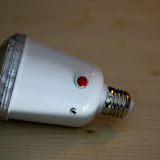
E27 230V camera -flash light bulp
And the next thing to take apart today....
These devices are cheap and often included if you buy a light-stand or umbrella on ebay.
They have a number of problems that I am trying to solve by modifying it:
The PCB seems to be well labeled and the parts trivial to identify and large enough to solder.
I just need to be careful about all the traces that carry 230V.

(click to see the other photos) Looks like 130V AC is fed through diodes and a 0,2KOhm resistor (left side on this photo) labeled "200RJ" and "10 Watt" into 3x 275V 220uF capacitors. I guess replacing that giant resistor with a variable one that I can control with a knob could allow me to reduce the power in the capacitors and thus the power of the flash.
These devices are cheap and often included if you buy a light-stand or umbrella on ebay.
They have a number of problems that I am trying to solve by modifying it:
- The light-sensor can't be switched off, so this thing flashes when other prople then you try to take a photo with a flash. => I'll add a switch for that.
- You can't control the brightness. => I'm trying to come up with a way to do that. Have to talk with some people on how to do this.
- Your equaly cheap RF receiver will dangle off the side => I'm trying to include the PCB of these wireless flash triggers into the case and add a hot-shoe to the case in the process.
The PCB seems to be well labeled and the parts trivial to identify and large enough to solder.
I just need to be careful about all the traces that carry 230V.

(click to see the other photos) Looks like 130V AC is fed through diodes and a 0,2KOhm resistor (left side on this photo) labeled "200RJ" and "10 Watt" into 3x 275V 220uF capacitors. I guess replacing that giant resistor with a variable one that I can control with a knob could allow me to reduce the power in the capacitors and thus the power of the flash.
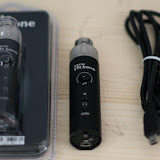
MicPlugUSB
Tonight is the night of taking-things-apart. :)
I started with a T.Bon MicPlug USB that I got in an already opened packaging cheaper then the original low price tag.
It's not intended to be taken apart at all. That much is obvious.
But my plan here is to scrap most of the electronics anyway.
I want to keep the USB 5V to 48V phantom -power supply,
add a second XLR-connector to the end that formerly held all the cables,
move the USB-port to the side and
attach an unbalanced cable with a 2.5mm stereo to the side.
(Without the buttons there are enough holes for that.)
The resulting tube shall then allow me to connect 1 or 2 phantom powered microphones to my digital camera.
The USB-power shall come either from a battery-grip or one of these cheap USB-battery-packs.
(USB has emerged as the one universal power connection that is always avaliable.)
(Click the photo to see all the other photos.)
I started with a T.Bon MicPlug USB that I got in an already opened packaging cheaper then the original low price tag.
It's not intended to be taken apart at all. That much is obvious.
But my plan here is to scrap most of the electronics anyway.
I want to keep the USB 5V to 48V phantom -power supply,
add a second XLR-connector to the end that formerly held all the cables,
move the USB-port to the side and
attach an unbalanced cable with a 2.5mm stereo to the side.
(Without the buttons there are enough holes for that.)
The resulting tube shall then allow me to connect 1 or 2 phantom powered microphones to my digital camera.
The USB-power shall come either from a battery-grip or one of these cheap USB-battery-packs.
(USB has emerged as the one universal power connection that is always avaliable.)
(Click the photo to see all the other photos.)
2011-10-16
more progress in wprkshop
I did some more progress in the creations of my workshop.
The hole-boards are now mounted.
(Easy to notice as only half as many tools are now lying around.)
They don't attach to the wall but to the table because drilling holes into *this* wall is a nightmare.
I also finalized the electrical work.
The outlets are now neatly seated along the walls.
I have no clue how to mount my 3 sets of hex-keys to the wall yet.
(metric, imperial and torx)
- Photos (coming soon)
- All Videos (please subscribe)
2011-10-15
Workshop
I'm slowly making progress in building my workshop.
After installing the Basotect foam via Power Strips failed, I now tried nails.
They sort of work but it's not very good.
I also found a cheap compressor+limiter+expander+de-esser on eBay and modified the 19" mounting to mount it below the table in the "documentation" corner.
(Just between the "electronics" and the "mechanics" section of the workshop. ;)
After installing the Basotect foam via Power Strips failed, I now tried nails.
They sort of work but it's not very good.
I also found a cheap compressor+limiter+expander+de-esser on eBay and modified the 19" mounting to mount it below the table in the "documentation" corner.
(Just between the "electronics" and the "mechanics" section of the workshop. ;)
- Photos
- All Videos (please subscribe)
2011-10-14
sound proofing my workshop
I want to line the walls of my small workshop with Basotect -foam.
The plan was to use Tesa Power-Strips to attach them to the walls and be able to remove them 10 years later.
Problem: It looks like the Power-Strips/Poster-Strips dont stick to the foam. They work fine on any other surface in the room but not the foam. :/
2011-10-12
converting an XLR stage box
I think I'll attach 2 small swivel -mounts designed for security cameras to stage-box (a small box with 6 XLR-sockets attached to a single 10m cable that ends in 6 matching XLR-plugs. Designed to reduce cable-clutter on a stage).
That way I can mount 2 shotgut-microphones or one camera and a microphone directly to that box.
I would be at the back (at the other end of the 10 meter cable or with some extension-cord inserted) with a camera and sound recorder
while the microphones face the scene and are not as much in the way as 2 small tripods and lots of cables would be.
Maybe also exchange 2 of the XLR sockets by combined XLR/6.3mm sockets.
More options when hunting for a cable....
- camera-mount
- the stage box
- Photos (coming soon)
- Video (coming soon)
- All Videos (please subscribe)
Abonnieren
Posts (Atom)